How to remove bios or power on password for Thinkpad W540/T540p/W541
Three minutes to remove forgotten power on password for Thinkpad W540/T540p/W541.
Step 1:
Remove the battery from Thinkpad laptop.

Step 2:
Take off this cover.
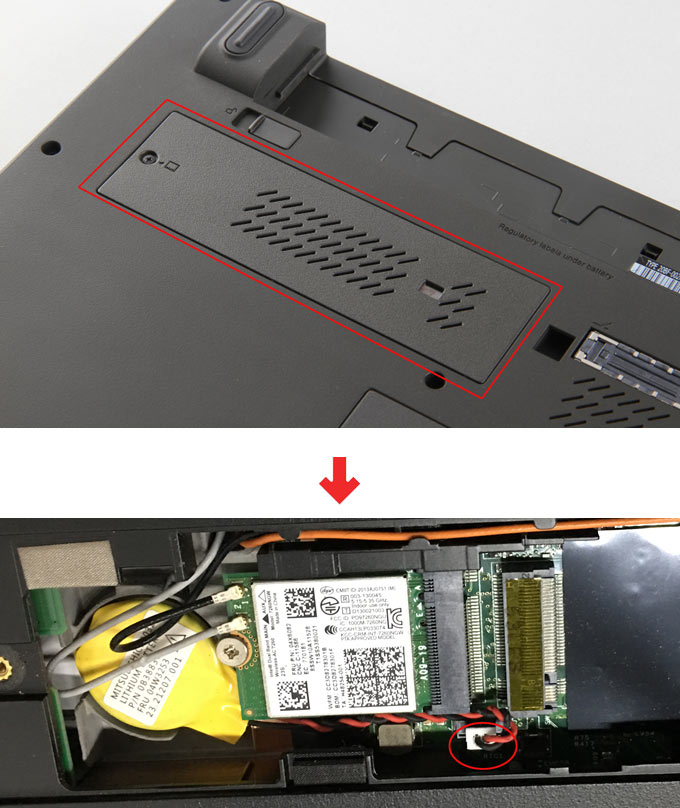
remove cover thinkpad w541/540
Step 3:
Unplug the two pin plug to disconnect the small yellow battery from the mainboard, and then wait for about 2 minutes.
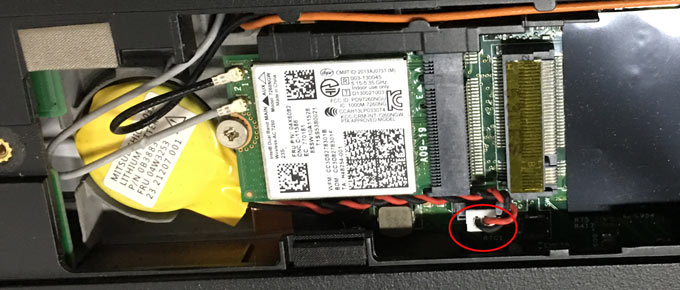
disconnect battery thinkpad w541
Step 4:
Return the cover, start computer, and you will find the bios or power on password has been reset to blank.