Windows 7 home premium password reset without disk
This post tells you how to reset a forgotten password for windows 7 home premium without reset disk.
When we lost the login password to our Windows 7 home premium system, and we don’t have a password reset disk, what we can do to fix the problem? Here I show you two ways which can help you reset a windows 7 password with third party software in a few minutes.
Option 1: Free, Op-hcrack for windows 7 password reset.
Op-hcrack is a free program, and it is easy to use. You can take a few steps to use it to find back your windows 7 password. See the guide below:
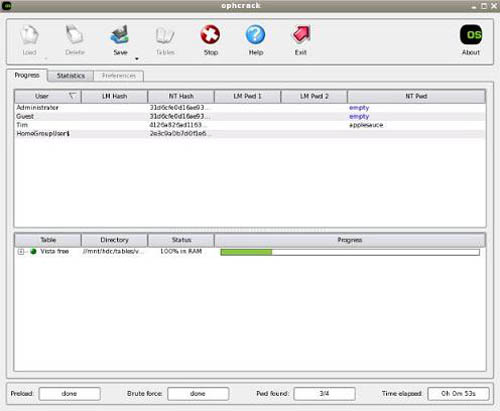
Step 1: Download Op-hcrack iso image.
Step 2: Burn the Op-hcrack.iso to a CD or dvd disc to make a bootable live cd. If want to use USB disk to create a boot disk, see How to create a Op-hcrack USB boot disk.
Step 3: Boot your computer from the Ophcrack.iso live cd.
Step 4: Wait for Op-hcrack to find the password and show it for you.
Option 2: Spower Windows Password Reset tool.
With Spower Windows Password Reset tool, you can reset password for Windows xp/7/8/2008/2012 easily when forget login password and have no reset disk, and you just need a few clicks to use it.
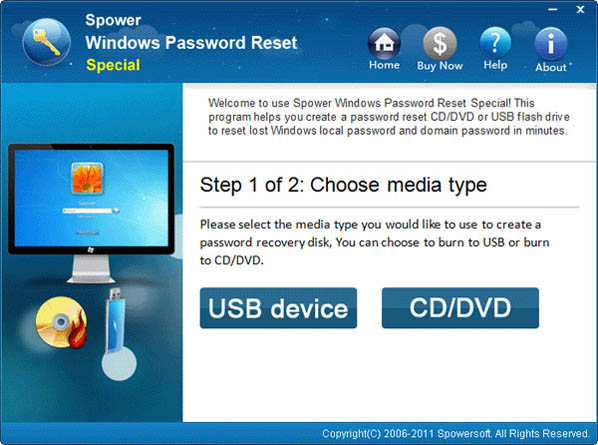
Step as follow:
Step 1: Download Spower Password Tool and install it.
Step 2: Insert USB flash disk to your computer.
Step 3: Start Spower Password Tool, choose USB device, and then click Begin Burning to make a USB password disk.
Step 4: Set your windows 7 computer to boot from USB password disk. For step by step guide, see Use boot menu to set computer to boot from USB drive.
Step 5: When Spower Password Tool run, you can select a user account and click Reset button to set a new password for it.
Step 6: Reboot your computer and you can sign in windows 7 with new password.
For step by step guide on using Spower Windows Password Rest Tool, see http://www.windowspasswordsreset.com/windows-password-reset-guide/
Related Articles:
- How to reset windows 8 password without disk if locked out of computer
- Forgot Windows 7 password no reset disk
I have got my computer boot from ophcrack, however it told me no partition containing hashes found. Do you have any idea to fix the problem?